
Multichannel Inventory Management: What it is and how to do it



But what happens when you start selling at multiple locations? What about on multiple channels? All of a sudden, your inventory management is much harder. Now you need to master the art of multichannel inventory management, and that’s what we’re taking a look at in this blog. We’ll cover:
-
What is multichannel inventory management?
-
Why is multichannel inventory tracking so important?
-
How to use your multichannel inventory system to boost efficiency
-
How can you set up and maintain multichannel inventory management?
-
Multichannel inventory software options for your business
When you’re done here, whether you’re running five stores, a dozen restaurants, or you’re breaking into ecommerce, you’ll be ready to run a complex inventory setup with all the sales channels you could ever want!
What is multichannel inventory management?
You probably already know this bit, but inventory management is the process of tracking, updating, and managing products that you either sell to your customers, or use to create the products you sell to customers. This means that when products get too low for your liking, you restock; when too many products are spoiling or not selling, you adjust your inventory strategy, and you use this oversight across your stock to inform your overall approach to trade. You can only do all of these things by tracking stock levels!
Logically, then, multichannel inventory management is the same process of tracking, updating, and controlling stock, but for businesses with multiple sales channels. Instead of managing inventory separately for each store, restaurant, warehouse, ecommerce site, or marketplace, everything is connected in one central system so stock levels stay accurate everywhere when you make a sale on any channel.
A multichannel setup can take many forms. For retailers, this might include several physical shops, an online store, and third-party marketplaces like Amazon, eBay or social media marketplaces. In hospitality, it could mean managing stock across multiple restaurant sites, dark kitchens, pop-up locations, and across numerous delivery platforms. Some businesses also need to track stock held in warehouses, vans, or temporary event locations. Anywhere the business owns inventory, the best multichannel inventory systems will know about it!
The goal is simple: whenever a sale, return, transfer, or delivery happens in one channel, your inventory records update across all the others in real time. This gives you a clear view of what’s available, where it’s located, and when it needs replenishing or moving from site to site.
Why is multichannel inventory tracking so important?
When you’re selling across multiple stores, sites, or platforms, stock visibility quickly becomes one of the biggest drivers of efficiency in the business. But how does it really help? Here are a few of the key ways multichannel stock tracking helps:
-
Balance stock across channels. With clear visibility across every location and sales platform, you can move stock to where demand is highest and levels are lowest before shortages become a problem for any channel. This helps prevent one channel from running out while another is overstocked, reducing waste and making better use of the inventory you already own. This can help with cash-flow, too!
-
Tailor your channel strategy. Customers using different channels often have different preferences to match them. Your ecommerce store may sell certain products faster than your physical sites, while specific restaurant locations might get through ingredients at different rates (although that could also indicate different preparation of products, or higher wastage, which will need standardising across your locations). Tracking stock by channel helps you spot these trends and adjust purchasing, pricing, promotions, or even product ranges to match demand in each part of the business.
-
Reduce manual admin. Without a connected system, businesses rely far more on regular, manual stock-checking that can take hours out of their day and drag them away from profitable interactions with customers. They then need to update any master system manually, or update their spreadsheets. Managers then need to compare figures manually, cross-checking different systems, which can also lead to more mistakes (on every level), less visibility, and a harder time making the right calls for the business.
-
Prevent overselling and missed sales. Accurate real-time updates ensures stock is removed from all channels as soon as it’s sold. This reduces (or even removes) the risk of double-selling the same item online and in-store, meaning fewer disappointed customers, a protected business reputation, and full shelves that optimise your sales and save you scurrying to your suppliers desperate for more products.
-
Improve purchasing decisions. Better stock data leads to better forecasting. It’s as simple as that. In the 2020s, data is king! By understanding demand patterns and your inventory situation across every channel, you can reorder more confidently, adjust levels to reduce excess stock holding, and tie up less cash in slow-moving inventory!
How to use your multichannel inventory system to boost efficiency
The real value of multichannel inventory management comes from how you use the data it gathers. Beyond the basic utility of knowing what’s actually on your shelves, effective multichannel inventory can improve efficiency across your entire business, ultimately helping you run a more enjoyable and reliable service for your customers. Here’s how:
Optimise your stock allocation
Good POS systems with inventory features give you the opportunity to set minimum and maximum thresholds, or a desired range, for your stock. Epos Now systems are a good example of this. Once you’ve set these levels per location or channel, multichannel inventory tech can help you stay within that range even without restocking from your suppliers.
Say one of your sites was low on potatoes. Instead of buying more potatoes in, which you might not always be able to do, you might look at your other sites and see a site that isn’t selling potatoes at half the speed. Perfect! You move stock (and tell your POS system you’re doing so) and now the potatoes are where they’re most wanted!
If this happens a lot, you can review your thresholds based on sales velocity, seasonality, and lead times, then use transfer workflows to move excess stock from low-demand channels into locations where it’s selling faster. This keeps availability high without increasing total stock holding.
Build bespoke channel-led purchasing plans
The way your stock moves should be informing the choices you make for your business. Stock that sells in one place and not in another could reflect different tastes in different areas, but it could also reflect poorer sales strategies, product positioning, or even a different perception of value.
Before giving up on a product at one site, you can use the evidence of a product's fast-selling stock somewhere else to rethink how you sell in another store. Try a promotion, try placing it somewhere else. Still no luck? Then discontinue the product and replace it with something else. Either way, your multichannel inventory is informing your decisions about what you buy and how you sell.
Automate routine stock control
The biggest efficiency gains often come from removing repetitive manual tasks. One key use for multichannel inventory management is that it automates stock control across all sites. Managers will still have to notify the system when POs arrive or stock is transferred, or in the event of wastage, but beyond that, your stock control is automated.
You can tell your staff to stop running most of their stock-checks (just the odd confirmation, maybe once a month? Or a quick, weekly cycle-count), leaving them free to focus on sales and customers!
Use live stock data to avoid stockouts
While this involves very little active work on the part of you or your team, it’s worth highlighting the value of operating in real-time across multiple channels. For many businesses, there is one set of stock, often in one place, that can be sold at any time. If you’re running an online or delivery service, you might sell the last of something before taking it off the shelf. The product is physically on site, customers might even be able to see it, but it’s been sold to someone elsewhere; you just haven’t sent it to them yet.
A real-time multichannel inventory system has you covered. The moment a product sells anywhere, your system will update to reflect that, preventing you from overselling any product. Inaccurate figures lead to disappointed and lost customers, so this real-time feature, just by implementing it as part of your stock system, is guaranteed to have a positive impact on your business!
How can you set up and maintain multichannel inventory management?
Multichannel inventory management can be tricky, so it’s important to know how you’ll implement the system, and how it will work once it’s up and running. So we’ve prepared a rollout checklist for you!
-
Map your stock locations. Start by defining every stock region you need to track. This could be site-by-site for stores or restaurants; it might include separate warehouse locations, mobile stock, or even temporary event spaces. If you sell online, decide which stock pool will feed your ecommerce, click-and-collect, or delivery orders, whether that’s a central warehouse, individual sites, or a shared inventory model.
-
Create your stock rules and workflows. Before switching the system on, decide how stock should move between locations, and ensure you have every supplier on the system. Set clear processes for deliveries, transfers, waste, returns, and online fulfilment so every stock movement has a consistent workflow behind it and your team know how to keep figures accurate in any scenario.
-
Complete an initial stock take. Your opening figures need to be right, so carry out the first full stock count when the business is closed or sales are paused. This gives you a clean starting point with no transactions happening in the background, making your live stock data reliable from day one.
-
Set minimum and maximum levels. Configure sensible stock thresholds for every location and product group (though be prepared to adjust them!). Minimum levels protect availability, while maximum levels help prevent excess cash being tied up in slow-moving stock. It also minimises wastage.
-
Enable alerts and replenishment triggers. Decide whether you want low-stock alerts, automatic reorder prompts, or manager approvals built into the workflow. The right alert structure helps teams act early without creating unnecessary noise. The system will only bother you in emergencies.
-
Build a maintenance routine. Long-term accuracy depends on discipline. Use regular cycle counts, discrepancy reviews, supplier delivery checks, and scheduled threshold reviews to keep the system aligned with reality as the business grows and channels evolve.
Multichannel inventory software options for your business
Now you know what multichannel inventory management is, what it can do to help workflows and reduce admin, and you even know how to implement it. The next thing is finding the perfect software. Handily, users of Epos Now POS systems can track inventory with ease no matter their industry, and no matter where they’re selling.
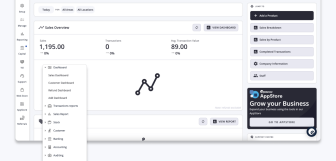
POS systems like Epos Now’s often partner with third-party software, or develop in-house apps, that allow businesses to adapt their systems to suit their needs. This includes expanding sales channels to manage multi-site, delivery, online ordering, and ecommerce sales within a single system, with inventory tracked across all channels. All you need to do is go to the Epos Now AppStore, find your app, and follow the step-by-step instructions to set up your new sales channel with multichannel inventory software management included in the setup!
So there you have it! Whether you’re running two or twenty different channels, knowing what you have in stock and where is crucial to the efficiency and reliability of your trade. Thankfully, there’s technology like Epos Now’s POS to help you keep an eye on things! Take a look at the website to find out more about what Epos Now can do for your business!
Frequently asked questions
- What is multichannel inventory management?
-
Multichannel inventory management is the process of tracking stock across every place you sell, from physical stores and warehouses to ecommerce sites and delivery platforms. When stock changes in one channel, it updates everywhere else, helping businesses avoid overselling, improve availability, and keep operations running efficiently.
- What are the 4 types of inventory management?
-
The four common types of inventory that need to be tracked and managed are raw materials or ingredients (used to create other products, like potatoes needed to make chips), work-in-progress (unfinished products), finished goods (ready for sale), and maintenance stock (like cleaning supplies). In retail and hospitality, these can also translate into ingredients or components, items being prepared, products ready for sale, and the supplies needed to keep daily operations running smoothly.
- What is an example of a multichannel?
-
A good example of multichannel selling is a retailer that sells the same products in-store, through its own ecommerce website, and offers a click&collect service. In hospitality, the equivalent might be a restaurant that serves walk-ins and bookings, but also takes click-and-collect orders and delivery app sales, which all use the same stock system.
- What advantages are there to a central inventory management system?
-
A central inventory system gives businesses one real-time view of stock across every channel and location. This reduces manual admin as fewer stock checks are needed, improves stock accuracy, supports faster replenishment, helps prevent overselling and stockouts, and makes it easier to move stock between sites so products are always available where demand is highest without needing more cash locked up in non-selling stock!