Epos Now 3.31 Release Notes
Released 18 November 2025
Included in this release:
NEW
- Instant access to funds with Cash Out now also live in the US, IE, ES
- Daily sales notifications
MINOR FIXES
- An overview of our minor fixes
COMING SOON
- Product and category images on till
- New and modern Back Office Dashboard
NEW: Instant access to funds with Cash Out now also live in the US, IE, ES
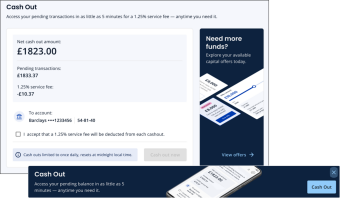
In addition to the UK, we’re excited to also introduce Cash Out to the US, Ireland and Spain.
This new feature is now available directly from within your Back Office!
With Cash Out, you can immediately access your pending balance on demand - no need to wait for standard payout schedules. Instantly transfer your available funds to your verified bank account whenever you need them.
Key features:
-
Instant access to funds: Request a Cash Out at any time and receive your money right away.
-
Full transparency: See the cost of each Cash Out before confirming.
-
Faster cash flow management: Get your funds instantly (instead of waiting for your funds to arrive at your usual payout schedule).
-
Secure and seamless: Cash outs go straight to your verified bank accounts, powered by Adyen’s trusted platform.
-
Easy Qualification: When you see Cash Out banners on your pages, it means you are qualified for using Cash Out. Click on them to view your pending balance.
This new feature gives you greater flexibility and control over your cash flow so you can focus on running your business.
Go to the “Cash Out” section within the Money pages of your Back Office.
NEW: Daily sales notifications
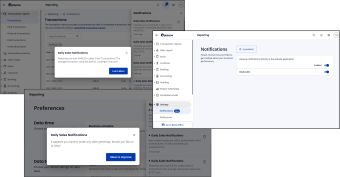
Daily Sales Notifications give you a quick morning snapshot of your key sales metrics. You can view all notifications via the bell icon in the Back Office, with each update linking to your Transactions Report for deeper insights. If no sales were made, you’ll receive guidance and tips through Sidekick.
Enabling the feature
To enable the feature, go to Back Office > Settings > Notifications, and adjust how and when you receive updates. Under Settings > Preferences, you can set your business hours so your daily and weekly figures match how your business actually operates.
Coming soon
Stay tuned as we'll soon also be introducing enhancements that'll help you track performance trends over time, with full control over notification settings across locations, including:
- Weekly sales summaries
- Business health checks
MINOR FIXES
- Reporting - Gross Margin Calculation on Sales Reports for Discounted Weighted Products: We have fixed an issue where gross margins were incorrectly shown on sales reports for discounted weighted products with decimal quantities. Gross margins now correctly display as 0% in these cases, consistent with standard and whole-number weighted products.
COMING SOON: Product and category images on till
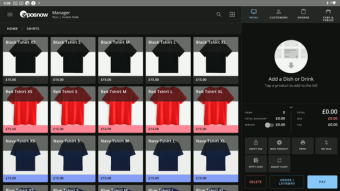
Product and Category images will be available to all users shortly after we wrap up the pilot. This will allow you to add your own images or stock images to your till.
-
Bulk image uploading
-
Image column on both the New Product List and New Category List
-
Free Pexels integration allows you to search stock photos from the web
Sign up below to be one of the first to try product and or category images on till!
COMING SOON: New and modern Back Office Dashboard
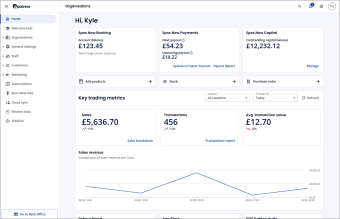
We’re excited to introduce a brand-new dashboard page that you’ll see as soon as you log in to your Back Office. Designed in line with the latest standards, the new dashboard features an enhanced, modern interface that makes it easier than ever to stay on top of your business. At a glance, you’ll be able to view key performance insights and track how your business is doing — all in one clear, intuitive snapshot.
We will roll this out over the next few weeks.