For Beginners - What is Point of Sale Design?



Those extra sales are no accident. They add a chunk onto the value of your sale to the business you’re at, raising the profits and getting the most out of the opportunity you provided the business. How did they do it? Through clever point of sale design, of course!
Whether it’s online or in-store, the moment a customer heads to the checkout is a pivotal moment in their customer journey, and it’s one the best businesses make the most of. Not only is it when a business secures a sale and potentially embeds customer loyalty, it’s also when the business can fully take advantage of that sale, adding previous value to it.
Sound good? Of course it does. So today, we’ll be taking you through all things point of sale design, so you can go from beginner to brilliant in one, short read. We’ll cover:
-
Point of sale design explained
-
Parts of your point of sale design to focus on
-
Advantages of good POS design
-
Techniques for optimizing your point of sale
Point of sale design explained
The point of sale (or POS) of a business is the place (any place, whether physical or digital) that a customer goes to checkout. This could be a traditional checkout point with a nice and visible sales counter near the entrance and equipped with till and scanner; it could be a self-checkout kiosk, an ecommerce portal, or the point on a bar where the till is. Any business in retail or in hospitality will have a point of sale, where a physical or virtual basket can be tallied up, a card payment can be processed (or cash handed over) and a purchase confirmed and receipt provided. It’s the final step in the buying journey, where all the work of marketing and winning the customer finally pays off.
So what’s point of sale design, then? That refers to how the business crafts that crucial step in the sales journey. Yes, it refers to the physical design, including product selection for the checkout area, placement and presentation of those products and the POS technology itself, to the design of the checkout flow to make the sale smooth, to impress the customer with brand messaging, and use subtle persuasion techniques to make additional purchases and to get that customer returning to the business.
Every single one of the above points adds value to the business, whether in a more immediate sense like an extra item in added to the basket, to lower staffing requirements and better customer loyalty through an easier experience at checkout for both staff and customers. Point of sale design, in short, is about optimizing the checkout area, and it’s something businesses need to take seriously!
Parts of your point of sale design to focus on
Product Placement
The products you choose for your POS area, and precisely where you put them, can significantly influence how well they sell. This is the perfect place for impulse buys, so the products you offer that are visually appealing, relatively affordable, and those that are likely to partner well with what’s already in the customer’s basket are the best choices. Think snacks, pocket-sized items, and complimentary and convenient products, which are typical POS partners.
Position your POS checkout items where they are most visible and easy to reach but simultaneously out of the way so they don’t interfere with the flow of the checkout. Avoid clutter by making a few targeted, tempting selections rather than squeezing as much in as possible, and rotate the products regularly to keep your checkout exciting and appealing. The goal is to make it effortless for customers to spot and justify a last-minute addition without slowing down their checkout experience.
Presentation
Presentation is all about how your POS area looks and feels. A colourful, organized, and clean setup builds trust and makes your business look professional, which can give customers’ confidence before they even begin the sale. Clear signage, consistent and stylish displays, and strong lighting can help highlight the products and messaging you’re using at checkout.
As with your POS products, it’s important not to make your checkout overstimulating, as that can result in reduced engagement. Instead, make intentional choices, with one or two colours, a few displays, and an open counter where customers can place their basket.
Whether physical or digital, your POS should feel intuitive and polished, making it easy for customers to navigate and complete their purchase with confidence.
Brand Messaging and Advertising
Your point of sale is an opportunity to reinforce your brand identity, and show-off the great deals you offer customers. You can do this with signage, digital screens, packaging and displays, and posters. While you may have lots to shout about, it’s worth trying to be concise and relevant, focusing on core values and simple messages that will resonate in that moment with as many customers as possible.
Special offers, loyalty programmes anyone can join, and limited-time deals that create a sense of urgency are all worth the space they require. Make sure your tone and language is consistent with who you are as a business. Done well, POS messaging doesn’t just inform, but persuades, reassures, and strengthens the customer’s connection to your business.
Checkout Flow
While you focus on the other elements of your POS design, it’s important not to forget the main reason you need this area in your business: making sales. Your checkout flow should be as smooth and frictionless as possible. Any delay increases the chance for lost or abandoned purchases, and weakens the customer experience you’re providing. In-store, this means efficient queue management (or ideally no queues at all), reliable payment systems, and a clear structure to your checkout a customer can follow without thinking about it.
Online, it involves a streamlined process with minimal form fields, multiple payment options, and clear progress indicators so they know there’s not long to go. Offer guest checkout where possible and be transparent about costs upfront. Small enhancements, like autofill, saved details, or one-click payments, can make a big difference as ecommerce customers can be fickle, and will abandon purchases far more easily than those who have taken the trouble to go to a physical store.
Ultimately, a well-designed checkout flow helps customers complete their purchase quickly and comfortably. So visualize the experience you’re providing, test it, and continually try to refine your POS design to remove any friction from your checkout.

Advantages of good POS design
A well-thought-out point of sale design actively contributes to your business’s performance, but how precisely does it do so? It’s not all about busting queues and keeping customers happy. POS design influences many parts of your operation. Here’s our list of what effective POS design can do for your business:
-
Increase average transaction value. Good POS design will increase the average basket size, and consequently the value of your transactions. Impulse purchases and last-minute additions to baskets raise the overall value of each sale without the need for additional footfall.
-
Improve customer experience. A smooth, well-planned checkout, no matter the sales channel in question, reduces customer issues and friction points that the customer themselves has to wait through or resolve. Instead, customers leave with a positive final impression of your brand.
-
Reduce cart abandonment and lost sales. A complicated or busy checkout puts customers off, while no one thinks twice before heading to a queue-free, straightforward checkout area. For digital sales, in particular, a streamlined checkout flow with clear pricing and minimal steps helps prevent customers from dropping off before completing their purchase.
-
Strengthen brand perception. Consistent messaging, professional presentation, and thoughtful design reinforce trust and credibility in your business, making you feel more reliable and appealing.
-
Encourage repeat business. By integrating loyalty programmes, personalized offers, or follow-up messaging at the POS, you can turn one-time buyers into returning customers (you also do this by offering them an enjoyable checkout experience).
-
Maximize existing opportunities. Customers encounter your point of sale when they’re already about to make a sale. They’re engaged and they’re ready to spend, so presenting them with a new opportunity, whether it’s a loyalty scheme, email sign-up, or an impulse purchase gives you the most chance of success. Good design ensures you’re making the most of that opportunity every single time.
Techniques for optimizing your point of sale
There are all sorts of ways you can design your point of sale, with different strategies working towards different ends. Try and or all of these to get the best results for your business:
Placement of New and Novel Products
When you get new products in, you want them to be visible. If they’re an appropriate size, your POS display could be a great place to introduce them to your customers. The same goes for seasonal products that you’ll only stock for a limited time. Your point of sale is a place where these products will get a lot of attention. A dull product will be a waste of that interest, while something novel can spark curiosity that leads to a sale, or even just a positive browsing experience the customer enjoys.
Keep these products at eye level or within easy reach, and consider using subtle signage like “New In” or “Just Arrived” to draw focus. But don’t leave them there to rot; rotate these items regularly to keep the experience fresh for returning customers and encourage repeat engagement. The key is to make discovery feel effortless and timely, right at the moment customers are most open to adding something extra.
Promotions
Promotions are one of the most effective ways to influence last-minute purchasing decisions. Limited-time offers, bundle deals, or small discounts provide a sense of urgency and give the customer that FOMO (fear of missing out, to the uninitiated) which makes the product you display much more tempting. Promotions are a wonderful way to win an impulse purchase that swells your customer’s basket.
Avoid overcomplicating the message: something simple like “2 for £3” or “Add one for £1” tend to perform best. The customer glances over, sees the offer, and thinks “it’s just another pound”, and adds it to their basket. Well-executed promotions like this lift sales without disrupting the checkout flow.
Cross-Selling and Upselling
Both cross-selling and upselling are essential techniques for increasing your average basket size. Cross-selling involves suggesting complementary products, like snacks with a drink, while upselling encourages customers to choose a higher-value option, such as a premium version of their selected item.
At the POS, this can be done not just through product placement, but signage and advertising. If you have a low-profit item selling well, put a poster up for a higher-profit version of that product. Likewise, if drink sales are lagging behind your snack sales, then advertize drinks at your checkout to remind your customers how thirsty they are! Focus on natural pairings and impressing good value so customers can easily justify the upgrade or addition.
Interactive Elements
Adding interactive elements to your POS area is sure to boost engagement and make the checkout experience more memorable. In physical spaces, this might include touch-and-feel displays, product testers, or small digital kiosks where customers can sign-up to your loyalty or marketing programs. Online, it could involve progress indicators, personalized recommendations, or clickable add-ons.
Interactivity encourages customers to do more than just checkout and leave the business. Utilizing the increased attention they have in these few moments is a wonderful way of boosting loyalty and creating ties between the customer and your business. The key is to keep interactions simple, intuitive, and, if possible, relevant to the customer’s current purchase.
Display Screens
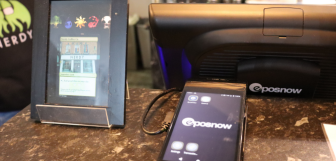
Screens draw the eye. Whether people mean to or not, they engage with them, which makes them a handy tool when you want to communicate with customers. Display screens allow you to communicate more without cluttering the physical space, making them a valuable addition to any modern POS setup.
Use POS screens to advertise promotions, your bestsellers, or to get brand messaging across to your customers with short video content and visuals. Even if this doesn’t directly translate to ecommerce, online, a well-designed checkout page can use visual prompts and recommendations. Keep content concise, visually appealing, and regularly updated to maintain effectiveness.
Point of sale design: a crucial part of any business strategy
Point of sale design is a strategic opportunity to improve both customer experience and business performance. Refining key elements like product placement, presentation, messaging, and checkout flow all help shape the final interaction your business has with your customer during the initial purchase. When optimized effectively, your POS can increase transaction value, reduce friction, and leave a lasting positive impression.
By applying techniques such as smart promotions, cross-selling, and engaging displays, you can turn a simple transaction into the perfect touchpoint for both customer and business. Ultimately, great POS design helps you maximize every sale while building stronger, more consistent connections with your customers!
Frequently asked questions
- What does POS mean in design?
-
In design, POS stands for “point of sale” and means the area a business makes its sales, including the technology, layout and presentation, messaging, and the flow of the sales. The goal of POS design is to create a smooth, engaging experience that encourages purchases and repeat visits, making the most of each transaction.
- What is POS and example?
-
POS, or point of sale, is where a transaction is completed. It often refers to either the checkout area as a whole, or the technology (POS system) the business uses to complete the sale. This area is typically a physical area on site, i.e a sales counter. However, ecommerce businesses will have a digital POS or a sales portal. In both cases, the POS is the area and technology that tallies the basket and processes the sale.
- What is the 3 3 3 rule in sales?
-
The 3 3 3 rule in sales is a guideline or strategy where you present three options, highlight three benefits of what you’re selling, and engage the customer in three seconds. At the point of sale, this immediate, straightforward sales pitch ensures you can increase a customer’s basket size without slowing down your checkout.
- What are 5 types of POS systems?
-
Five common types of POS systems include
-
Traditional countertop systems
-
Mobile POS (mPOS) which you can use on tablets or phones
-
Self-service kiosks
-
Online checkout systems
-
Cloud-based POS systems (which could be come in the form of any of the other four)
The kind that’s right for your business depends on your needs, budget, and workflows, so be sure to do your research before making a purchase.
-