Epos Now 3.30 Release Notes
Released 4 November 2025
Included in this release:
NEW
- Global Search for quick access to settings, reports and more!
- New Product List page becomes the default
- Introducing TOTP Multi-Factor Authentication (MFA) support
ENHANCEMENTS
- Slynk Flow app now exports to FTP and SFTP servers
COMING SOON
- Instant access to funds with Cash Out
- Product and category images on till
- New and modern Back Office Dashboard
NEW: Global Search for quick access to settings, reports and more!
We're excited to launch a new feature: Global Search. Global Search enables users to quickly locate settings, reports, and tools without digging through menus.
Thanks to fuzzy keyword matching, results appear even if the search term isn’t exact, and direct navigation lets users jump straight to the right page.
Users can also ask Sidekick questions in natural language directly from the search bar, streamlining workflows and saving time by reducing friction when finding features or support.

NEW: New Product List page becomes the default
We’re excited to announce that the new product list will become the default page for managing your products over the next few days! The new product list boasts all the key features you need to easily manage your products, including:
-
Faster inline editing
-
Faster quick-add
-
Ability to customise your view, including the columns
See the improvements that have been made in the video below:
Want to experience the new Product List? Click on the link below.
PS: You’ll still have access to the old Product List in our Classic Pages section.

NEW: Introducing TOTP Multi-Factor Authentication (MFA) support
We’re improving your account security! You can now use Time-based One-Time Passwords (TOTP) — such as those generated by authenticator apps like Google Authenticator or Authy — as a new MFA method.
This update includes:
-
Enhanced My Account settings to enable and manage TOTP authentication.
-
Updated login pages to support TOTP during sign-in.
This gives you a faster, more secure way to protect your account.

ENHANCEMENT: Slynk Flow app now exports to FTP and SFTP servers
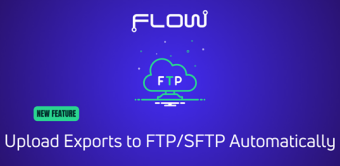
The team at Slynk have added the ability to send your exports directly to an FTP or SFTP server.
This means Flow can deliver your data straight into other systems — no more forwarding emails or downloading files manually.
Set up multiple connections, choose which one to use for each flow, and even test the connection before saving it.
Some of the ways this can be used:
-
Send data to external platforms like Linnworks or Klaviyo
-
Create product or stock feeds for resellers or partners
-
Deliver daily reports or data drops straight to another system
-
Upload exports in exactly the structure that those platforms expect
It’s one of the most powerful updates the team at Slynk have released and it opens up loads of new integration possibilities in Flow.
Read more about some of the other updates they've made here.
Interested in checking out the Flow app?
COMING SOON: Instant access to funds with Cash Out
We’re excited to soon be launching a new Epos Now Payments payout feature: Cash Out.
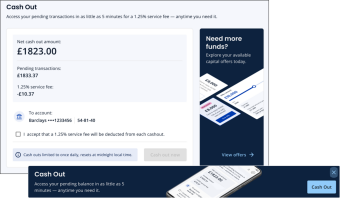
With Cash Out, you can immediately access your pending balance on demand via the Back Office - no need to wait for standard payout schedules. Instantly transfer your available funds to your verified bank account whenever you need them.
Key features:
-
Instant access to funds: Request a Cash Out at any time and receive your money right away.
-
Full transparency: See the cost of each Cash Out before confirming.
-
Faster cash flow management: Get your funds instantly (instead of waiting for your funds to arrive at your usual payout schedule).
-
Secure and seamless: Cash outs go straight to your verified bank accounts, powered by Adyen’s trusted platform.
-
Easy Qualification: When you see Cash Out banners on your pages, it means you are qualified for using Cash Out. Click on them to view your pending balance.
This new feature gives you greater flexibility and control over your cash flow so you can focus on running your business.
COMING SOON: Product and category images on till
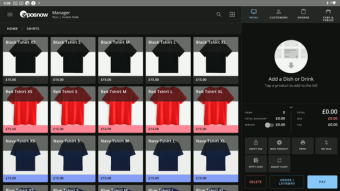
Product and Category images will be available to all users shortly after we wrap up the pilot. This will allow you to add your own images or stock images to your till.
-
Bulk image uploading
-
Image column on both the New Product List and New Category List
-
Free Pexels integration allows you to search stock photos from the web
Sign up below to be one of the first to try product and or category images on till!
COMING SOON: New and modern Back Office Dashboard
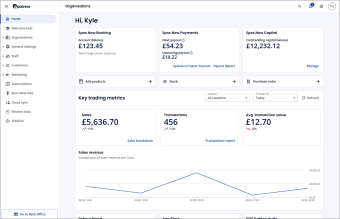
We’re excited to introduce a brand-new dashboard page that you’ll see as soon as you log in to your Back Office. Designed in line with the latest standards, the new dashboard features an enhanced, modern interface that makes it easier than ever to stay on top of your business. At a glance, you’ll be able to view key performance insights and track how your business is doing — all in one clear, intuitive snapshot.
We will roll this out over the next few weeks.