
How to Cash Up a Till: A Step-by-Step Guide (2026)
For the past few years, there’s been a large number of businesses making a switch away from cash towards ‘less risky’ payment methods such as contactless credit cards and Apple Pay. This new trend began when the pandemic started, kicking off a digital transformation that has not slowed down since, however, while these methods are great for making sure money is the only thing being transferred, cash is still a big requirement for many customers.
81% of Europeans strongly feel that paying with cash ought to be a human right, and 20.5% of point of sale transactions globally are still being paid for with this method. [1]
So, while the trend is moving to digital, tills aren’t going anywhere yet, and while these electronic calculators do much of the work for you, they still require close monitoring to ensure they’re working in line with your expected profits.
Learning how to balance a till ensures your cash flow lines up with your predictions, and while it can be awkward at first, our guide below will get you started!
Why do you need to learn how to balance a till?

Quite simply, balancing a till ensures the correct amount of money has been collected from customers. This is important for a few reasons:
-
It protects your business against theft.
-
It guarantees you’re charging the correct prices for the goods and services you provide.
-
It ensures your cashflow aligns with your predictions.
-
It makes it much easier to balance the books at the end of your trading year.
X Report vs Z Report: what’s the difference?
X Report (a mid-shift till check)
An X Report gives you an in the moment snapshot of your till activity without affecting anything. It shows figures like current sales totals, cash and card amounts taken, refunds approved, and your current transaction count so you can quickly spot discrepancies and check on performance during the day's trading.
Use an X Report when you want to:
-
Check progress mid-shift or during shift changes
-
You're investigating an issue for the business
-
Monitoring staff or product performance during a certan period
What's handy about X reports is that they let you check totals without resetting them. You can run as many X reports throughout the day as you need without changing your end-of-day figures.
Z Report (end-of-day reset)
A Z Report is your end-of-day summary (Or sometimes your end of shift summary. You can do more than one in a day). It totals all transactions for the trading period and then resets the till back to zero, ready for the next day.
Use a Z Report when:
-
Closing the till at the end of trading
-
Completing your cash-up and balancing process
-
Producing daily records for accounting
You should always run the Z Report before cashing up, as this becomes your final, fixed record for each day’s sales.
Businesses in the UK, for example, must also comply with HM Revenue & Customs requirements, which state that Z Reports and other till records must be kept for at least 6 years for tax and audit purposes, making Z reports part of your financial transparency.
If you use Epos Now, both X and Z Reports can be generated directly from the Back Office, where reports are automatically stored digitally for easy access, exporting, and long-term record-keeping. Alternatively, paper reports will require filing, which (given you print a Z report every day) will need to be kept organised.
How to balance your till
The process of balancing a POS till can be done in a matter of minutes, all you need is your till float.
This is a set amount of cash in different denominations used to provide change for customers. When you’ve taken the money from your cash float and placed it into the till, follow these steps:
Have one person per drawer:
If you have a till being operated by multiple employees, make sure to have only one person assigned to each drawer. It can get confusing if everyone is trying to balance the till at the same time, so having one person per drawer is the best way to go. Alternatively, if you have a single drawer, only let one employee use it at a time.
 Start with the largest denominations:
When you’re counting your cash, start with the larger denominations and work your way down. This will make it easier for you to keep track of how much money is in each drawer.
Check each drawer against the starting amount:
Once you have counted all of the cash in each drawer, compare the amount of money you have against your starting number. If you are short, this means that transactions from previous days were not added to yesterday’s total. You can also check these in a till report or EPOS sales report, which can be easily printed out at the end of each day.
Reconcile card payments:
Cash isn’t the only figure you need to balance at the end of the day. In fact, for most businesses, far more of your trade will run through your card machine. Therefore, card transactions should also be checked to make sure your totals match between your card terminal and your POS. With an integrated payment processor, this is usually not a problem, but you always need to check.
Run your card machine’s end-of-day or settlement report to see the total value of debit, credit, and contactless payments processed, then compare this number with the card payment total recorded in your POS system.
If the figures match, you’re good to move on. If they don’t, review recent transactions, refunds, or failed payments, as these are common causes of discrepancies. Look out for duplicated sales, missed refunds, or transactions that didn’t fully authorise. Systems like Epos Now make this easier by showing detailed transaction logs in the Back Office, helping you quickly trace and correct any mismatches before finalising your accounts.
Correcting imbalances:
If your cash drawer is over the starting amount, this means that transactions from previous days were not taken out of yesterday’s total. These could have been caused by items that were returned, or even mistakes during a refund. To make sure your tills are balanced at all times, you should have a set procedure in place. One way to do this is having specific employees assigned to go through refunds and process returns each day before you balance your till.
Deposit cash throughout shifts:
Deposit your cash into the till throughout your shift. This will help keep things steady, and you won’t have to worry about a huge influx of money at the end of the night.
It can be tempting to wait until the end of your shift to deposit all your cash, but this is usually when mistakes are made.
Run an X read:
If you’re still having trouble balancing your till, consider running an X read. This is where you take all of the cash out of the till and place it into different piles, each representing a certain denomination. By doing this, you can easily identify which denominations are missing and need to be added to your till balance.
 Conduct the physical count:
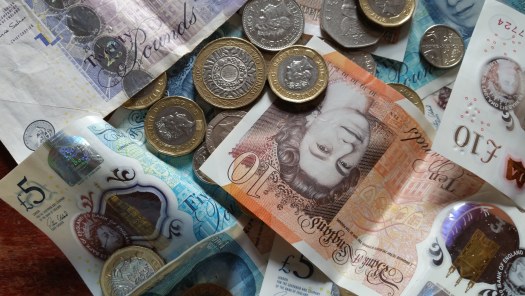
The physical count is the final step in balancing your till. This is when you count all of the money - cash and coins - to make sure that it matches the amount in the computer system.
This is a key part of till balancing, and it’s important to do it accurately.
Make sure to have at least two people conducting the physical count, so there is a second set of eyes to help catch any mistakes, and to minimise the opportunity for employee theft.
Cash drop:
If you’re doing a cash drop, make sure to factor that into your calculations. A cash drop is when you take money out of the till and put it in a safe place - usually in a locked drawer or alarmed cabinet.
Setting up your till float at the start of a shift
Your till float is the cash amount you place in your cash drawer at the start of each shift, ensuring you can provide change to customers when they pay you in cash. Typically, you'll need a mix of different value notes and coins so that you can be prepared for any amount of change (for instance, in the event your first ten customers all pay for cheap goods in ten pound notes, you'll need a number of five pound notes to provide their change).
Starting with an accurate float is essential for an accurate end of day balance, as you need to know how much money you had to begin with to ensure the right amount of cash from your sales is in the drawer. That way, any differences will relate only to that shift’s activity rather than leftover cash.
Before trading begins, count the float carefully and confirm the total matches your expected starting amount, then add it to your POS system so it records the baseline figure. If you’re using Epos Now, this can be logged at the till during login. If the opening count doesn’t match, recount immediately and check for misplaced notes or coins, or adjust your float amount. Never start trading until the figure is correct, as even small discrepancies can cause a lot of confusion later.
Restore work/life balance - let an EPOS system manage your money
Financial management is a huge part of running a business, but it doesn’t have to be stressful and time-consuming. By choosing the right financial software for your small business, you can turn your attention to other areas of your business, like operational efficiency and taking care of your customers. Learning how to balance a till can take time, but with the right processes and systems in place, till reconciliation will take a few short moments at the end of each day.
You can let your point of sale (POS) system handle things like reviewing sales, bookkeeping, and accounting tasks. Systems like Epos Now offer state-of-the-art POS systems for businesses in various industries.
With Epos Now, you can also:
- Review performance each day in real-time with profitability reports based on individual product performance, trending items, best and worst sellers, and employee sales
- Cloud sync your tills and use cloud-based data storage to monitor trade from any internet-connected device
- Optimise your end of day process to see only the data relevant to how you run your business
- Fully digitise your workflows and get rid of those fiddly strips of paper clogging up your checkout!
Frequently asked questions
- What is the difference between an X report and a Z report?
-
An X report shows your current sales figures without resetting the till (it's not part of a cash-lift), making it useful for mid-shift check-ups. A Z report provides the final end-of-day totals and then resets the system back to zero, creating your record of the day before you lift your takings from the cash drawer (and reset your card machine).
- How long does cashing up a till take?
-
For most businesses, cashing up a single till takes around 5–10 minutes once you’re familiar with the process. Larger stores or those with multiple payment types may take a little longer, especially if you’re reviewing reports and counting large amounts of cash carefully. However, an efficient POS system like Epos Now, and a clear process you and your team can follow, can minimise any delays in cashing up!
- What do you do if your till doesn’t balance?
-
Firstly, recount the cash and your reports to ensure the mistake wasn't yours, as small counting errors are common. Then, take a look at the refunds and voids from the day to see if the discrepancy matches them (if you're £7.50 out on cash, and you have a £7.50 refund from the day, there's a likelihood there's a connection between these factors). If you still can't match your numbers, record the variance and follow your internal procedures for investigation.
- How often should you balance a till?
-
As a bare minimum, balance every till in the business when you close each day. Many businesses also perform mid-shift checks or z reads to ensure there's never too much money in a cash drawer. This also helps spot issues earlier, or reduce the window of possibility when trying to find errors.
- Do you legally need to keep till records in the UK?
-
Yes. HM Revenue & Customs requires businesses to keep accurate financial and till records, including their Z reports, for six years. These records will be needed if your business gets audited or for any tax checks.
- What is a till float?
-
A till float is the money you have in your cash drawer before you make your sales. You need a till float to provide change to your customers, so it will be in a mixed form of notes and coins.